Pipelines
Pipelines in Partner Center track how sales opportunities progress through stages and forecast revenue. Use the default four-stage pipeline or create custom pipelines at Administration → Data management → Pipelines with your own stages and forecast percentages.
Default pipeline
The default pipeline has four stages: Lead, Contact, Qualified, and Proposal, with forecast percentages of 0%, 20%, 40%, and 60% respectively. Revenue forecasts are based on the probability you set for each stage. If the default doesn't fit your business, you can create custom pipelines and define your own stages and percentages.
Pipeline management
You can access pipeline management in two ways:
Administration→Data management→PipelinesCRM→Opportunities→ Board view → pipeline dropdown →Manage pipelines
Both paths open the same pipeline management page where you can create new pipelines, configure stages with close probability percentages, and manage existing pipelines.
How do I create a pipeline?
-
Go to
Partner Center→Administration→Data management, then clickPipelines.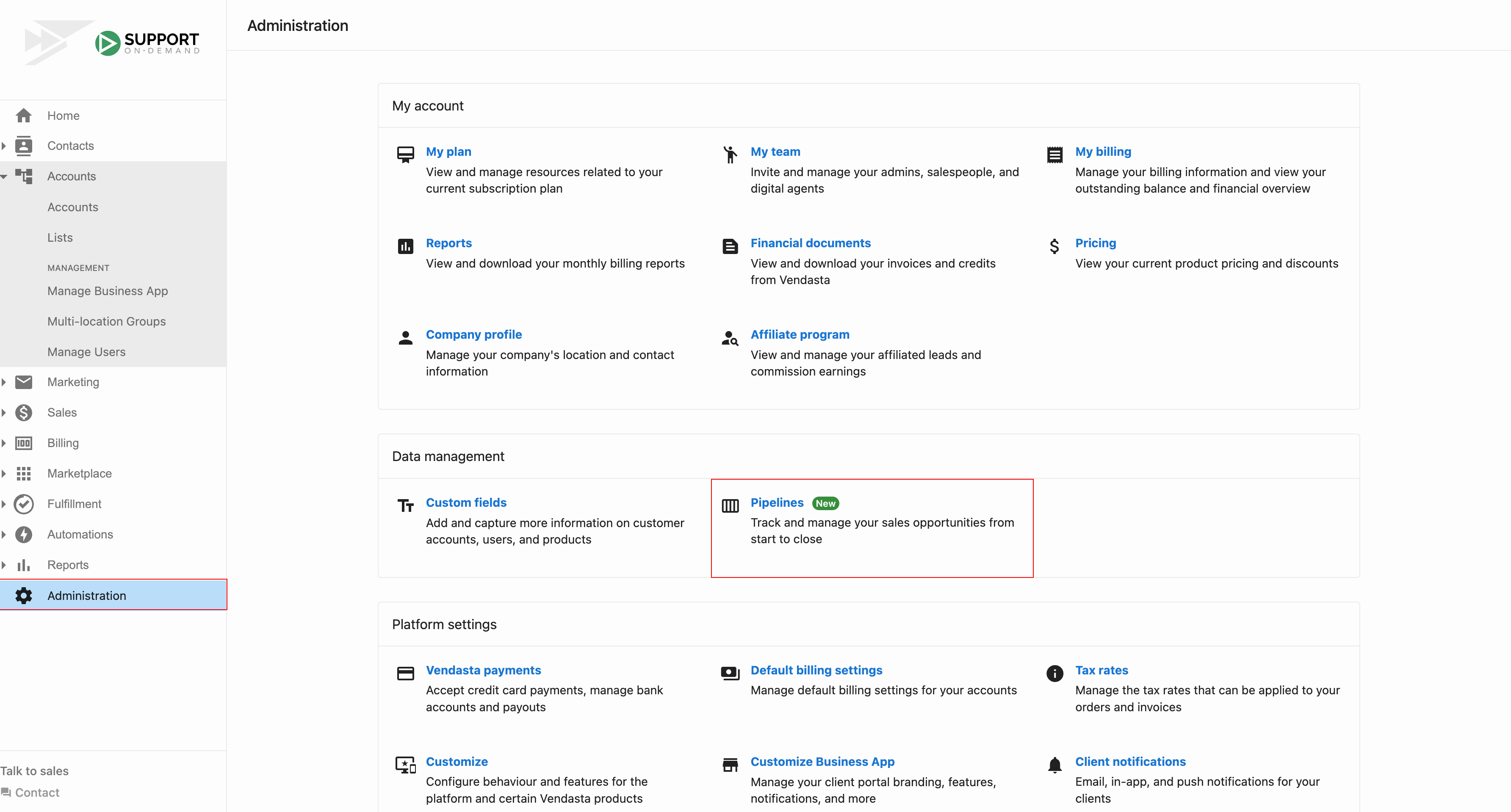
-
On the "Manage pipelines" page, edit an existing pipeline from the left list or click
Create pipelineto add a new one. Configure the pipeline name and stages with their close probability percentages. Stages appear in your pipeline in the order of the probability of success you assign them.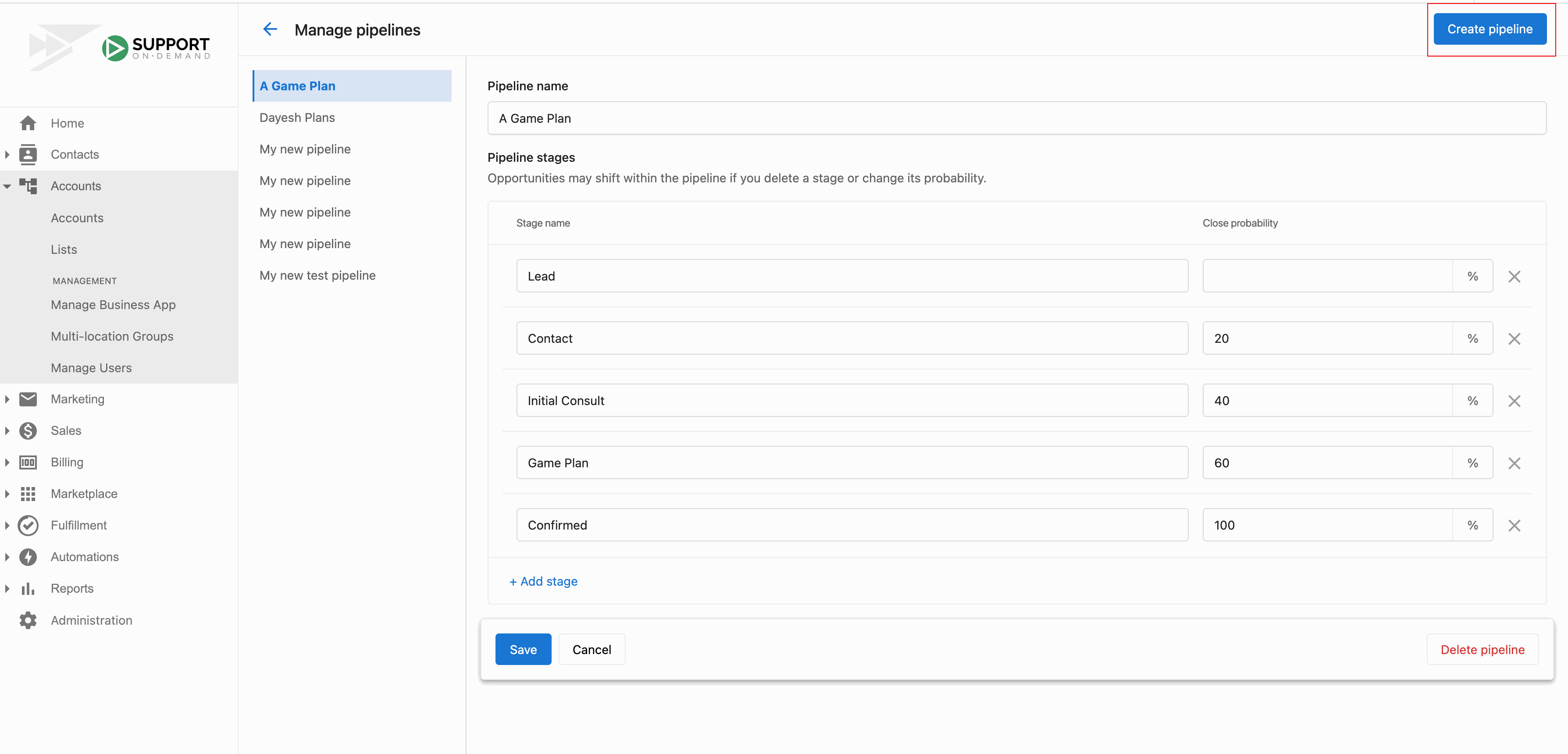
Frequently asked questions
Can I enter the same value for multiple pipeline stages?
No. Each pipeline stage must have a unique numerical value for close probability. If you enter the same value for multiple stages, the system will show an error.
What are the default pipeline stages?
The default pipeline has four stages: Lead, Contact, Qualified, and Proposal, with forecast percentages of 0%, 20%, 40%, and 60% respectively.
How do I customize the default pipeline?
Go to Partner Center → Administration → Data management, then click Pipelines. Select the pipeline from the left list to edit it, or click Create pipeline to add a custom pipeline with your own stages and forecast percentages. You can also access this page from CRM → Opportunities → Board view → pipeline dropdown → Manage pipelines.
How are pipeline revenue forecasts calculated?
Revenue forecasts are based on the probability you set for each stage.
How is the order of pipeline stages set?
Stages appear in your pipeline in the order of the probability of success you assign them.