Add custom links to SMS review request
Deprecated
As of February 21st, 2025, Customer Voice is legacy. Use Reputation AI Premium for reviews and NPS via email and SMS.
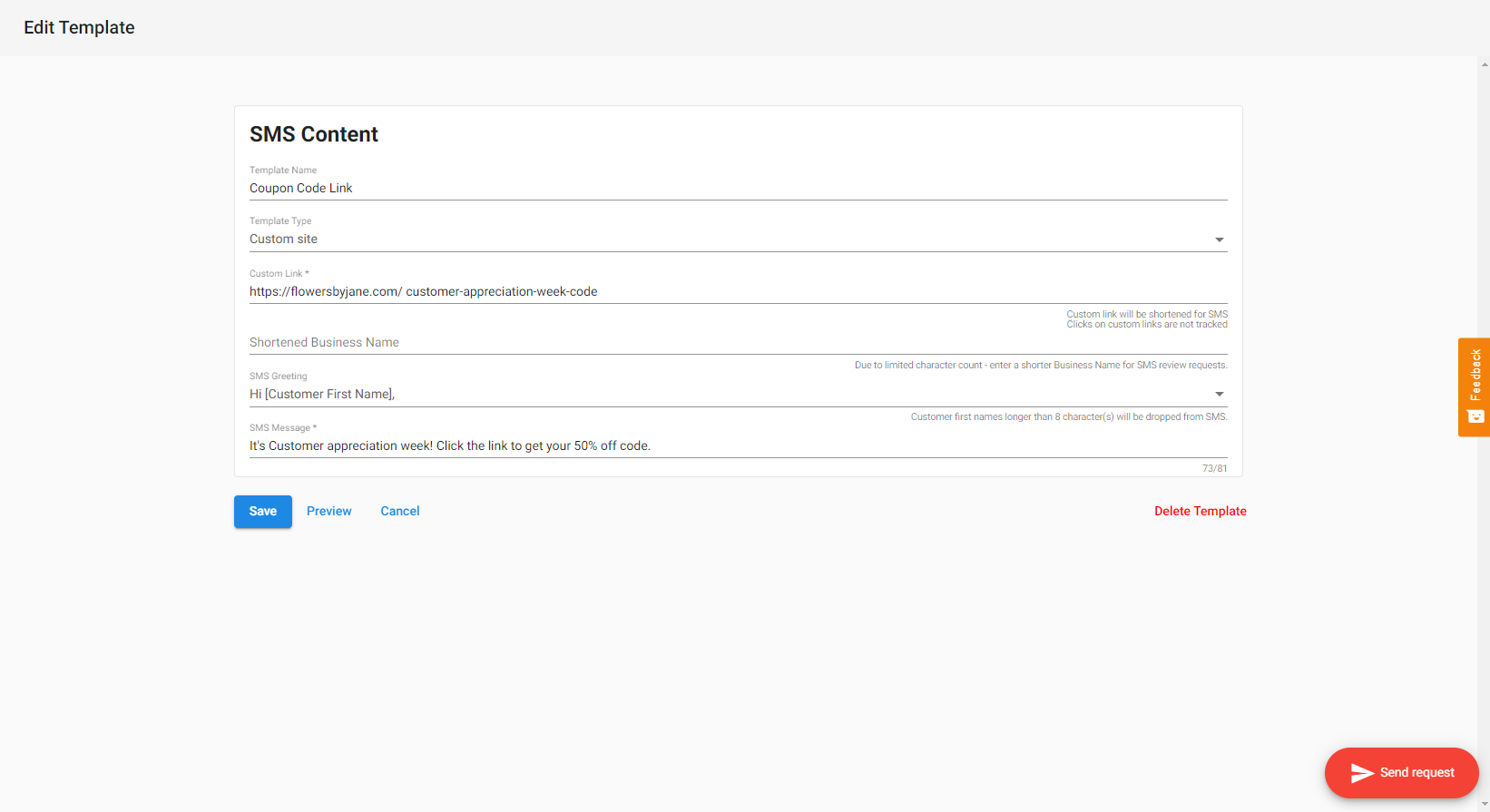
How to add custom links to SMS review requests
- Go to
Customer Voice→Templates→Add New Template - Select
New SMS Template, name the template, then selectNew Custom Site template - Customize the template with your custom link and message, then
Save.
info
Clicks on custom links are not tracked.
Who has access to this?
All Customer Voice Pro accounts that have an SMS add-on active will be able to use this feature.
Use cases for custom links
Your clients can send an SMS message to their customers with a link to any website. This could include, but is not limited to:
- Link to receive a coupon code
- Link to schedule an appointment or view an appointment confirmation page
- Link to the company website (i.e. to promote a sale)