How do I add or update my payment method in Partner Center?
What is payment methods and billing setup?
In Partner Center, go to Administration → My billing to add your billing contact and credit card, update billing details, change the invoice email, and retry failed payments. Partner Center holds one credit card at a time.
Why is managing payment methods important?
Properly configured payment methods and billing information ensure:
- Uninterrupted service for your products and subscriptions
- Accurate billing and invoicing
- Proper communication regarding billing matters
- Quick resolution of payment issues
What can I do with payment methods?
| Action | Description |
|---|---|
| Add Payment Method | Add your credit card information for making purchases |
| Update Billing Information | Modify your billing contact details and company information |
| Change Invoice Email | Update where invoices are sent |
| Retry Failed Payments | Manually retry payments that have failed |
| Manage Payment Issues | Resolve declined card issues and payment problems |
How do I set up a payment method?
Adding your first credit card
In order to make purchases on the Vendasta platform, you are required to add your payment information to the platform.
To add your credit card to Partner Center:
- Navigate to
Administration→My billing→Add Payment Method
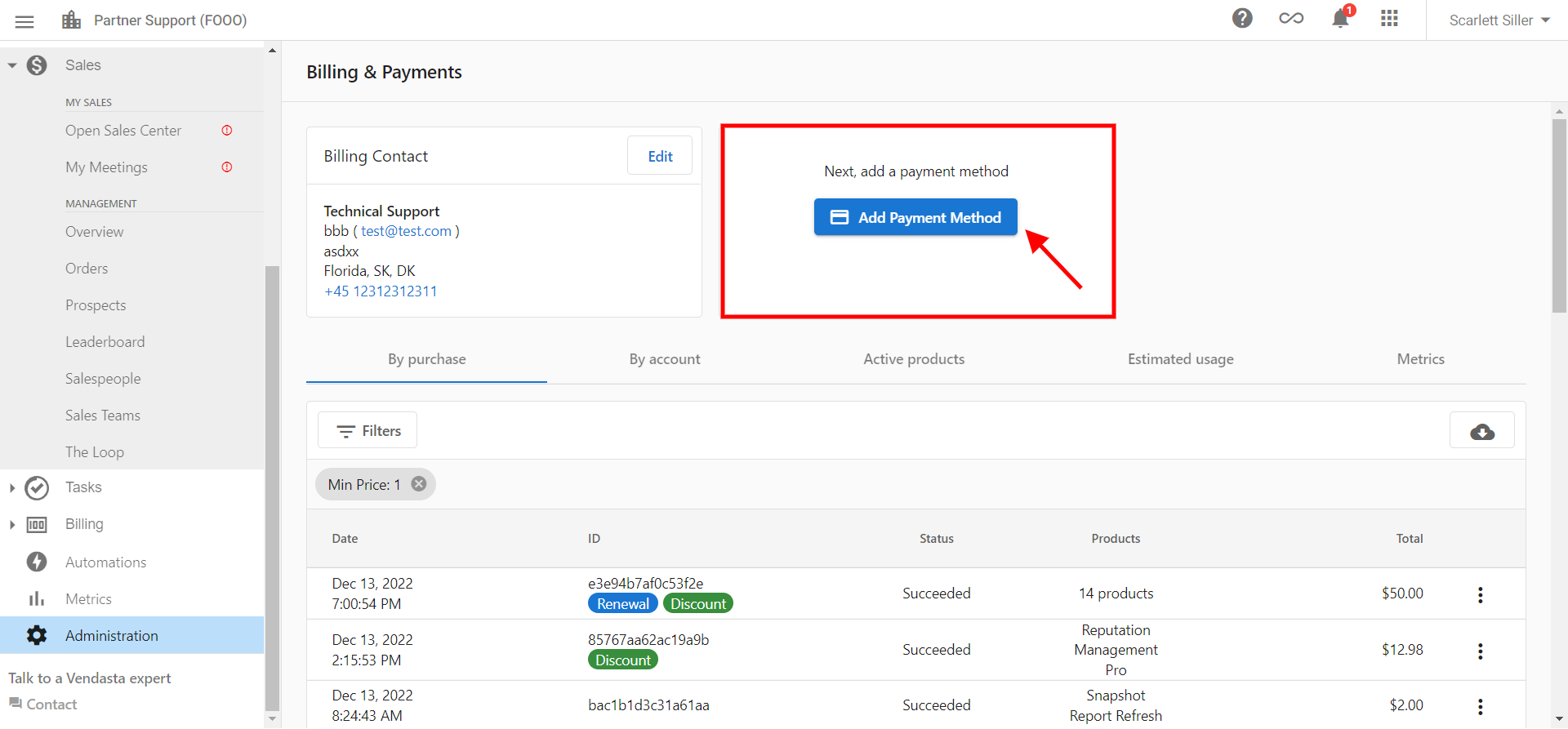
Adding complete billing information
If you have not added your billing information, you can do so under Partner Center → Administration → My billing.
Step 1: add billing contact
- From the My billing page, select
Add Billing Contact
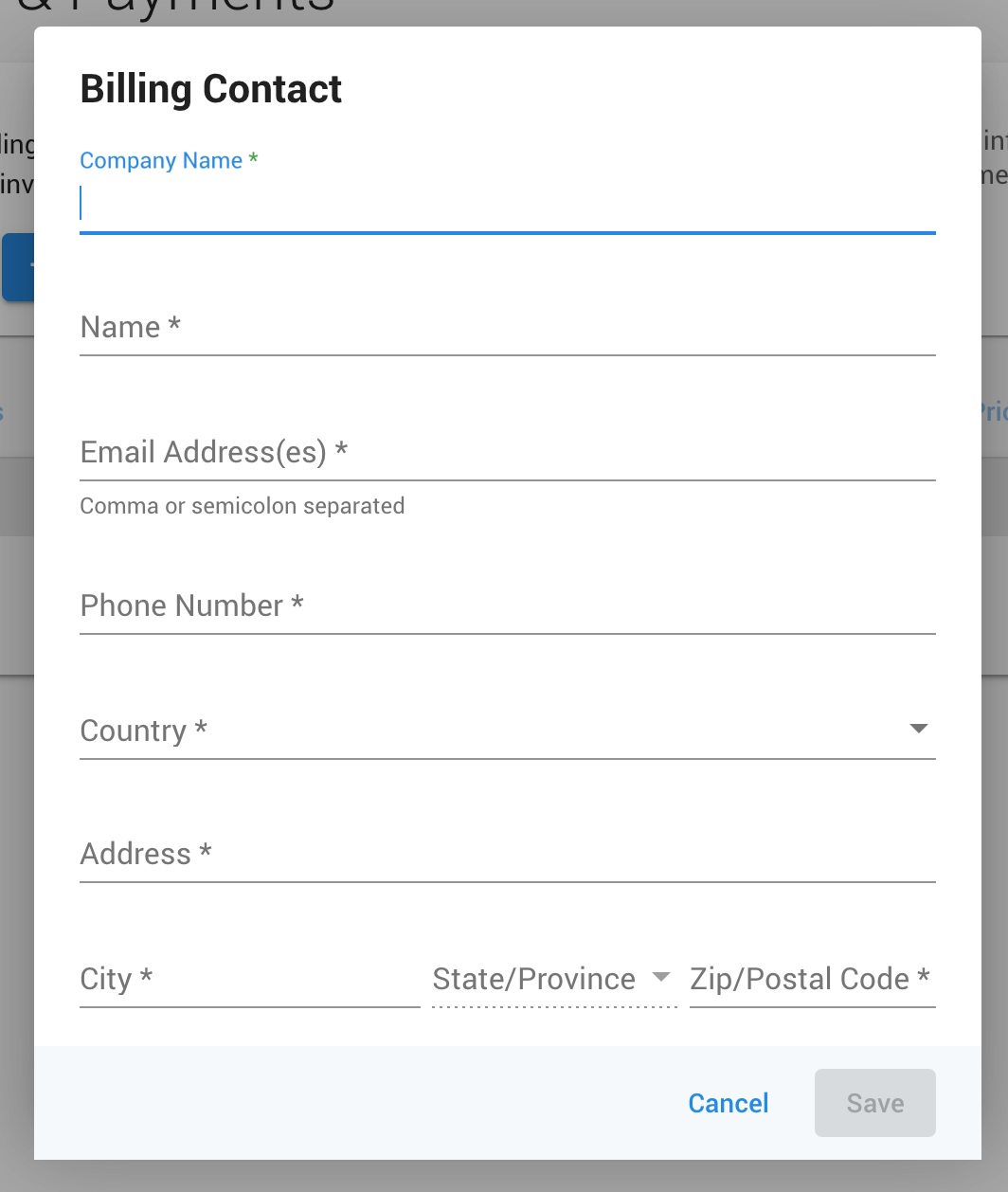
- Fill in the form, ensuring all fields with an asterisk (*) have been completed
- Once done, hit
Save
Step 2: add payment method
- After adding billing contact information, select
Add Payment Method - This will show the payment method form:
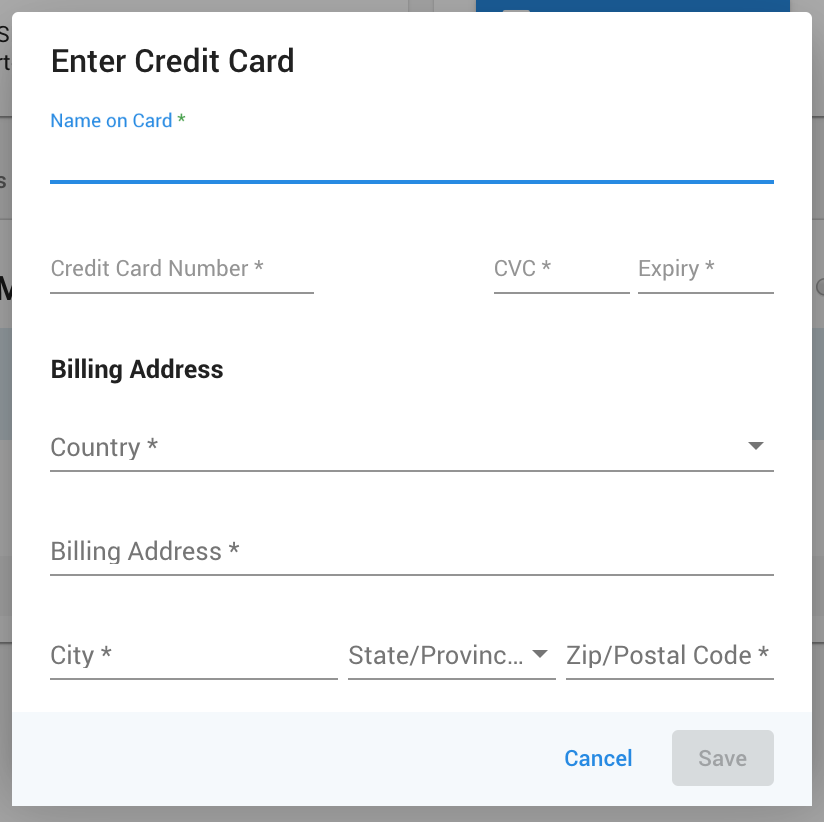
- Complete the form and select
Save
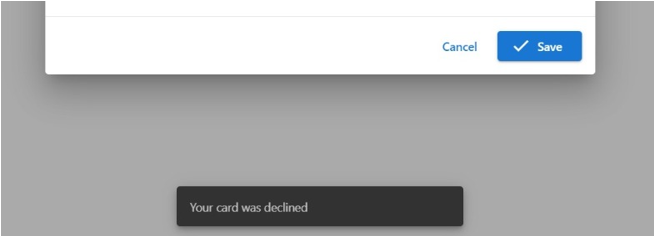
If you receive a message saying the card has been declined, the likely cause is that your credit card company is blocking the transaction because it is an international payment. Please contact your credit card company and ask them to allow all transactions from Vendasta Technologies Inc.
How do I update my billing information?
Updating billing information
Should you need to update your billing info after it's been entered:
- Navigate to
Partner Center→Administration→My billing - Click
Editon the section you wish to update
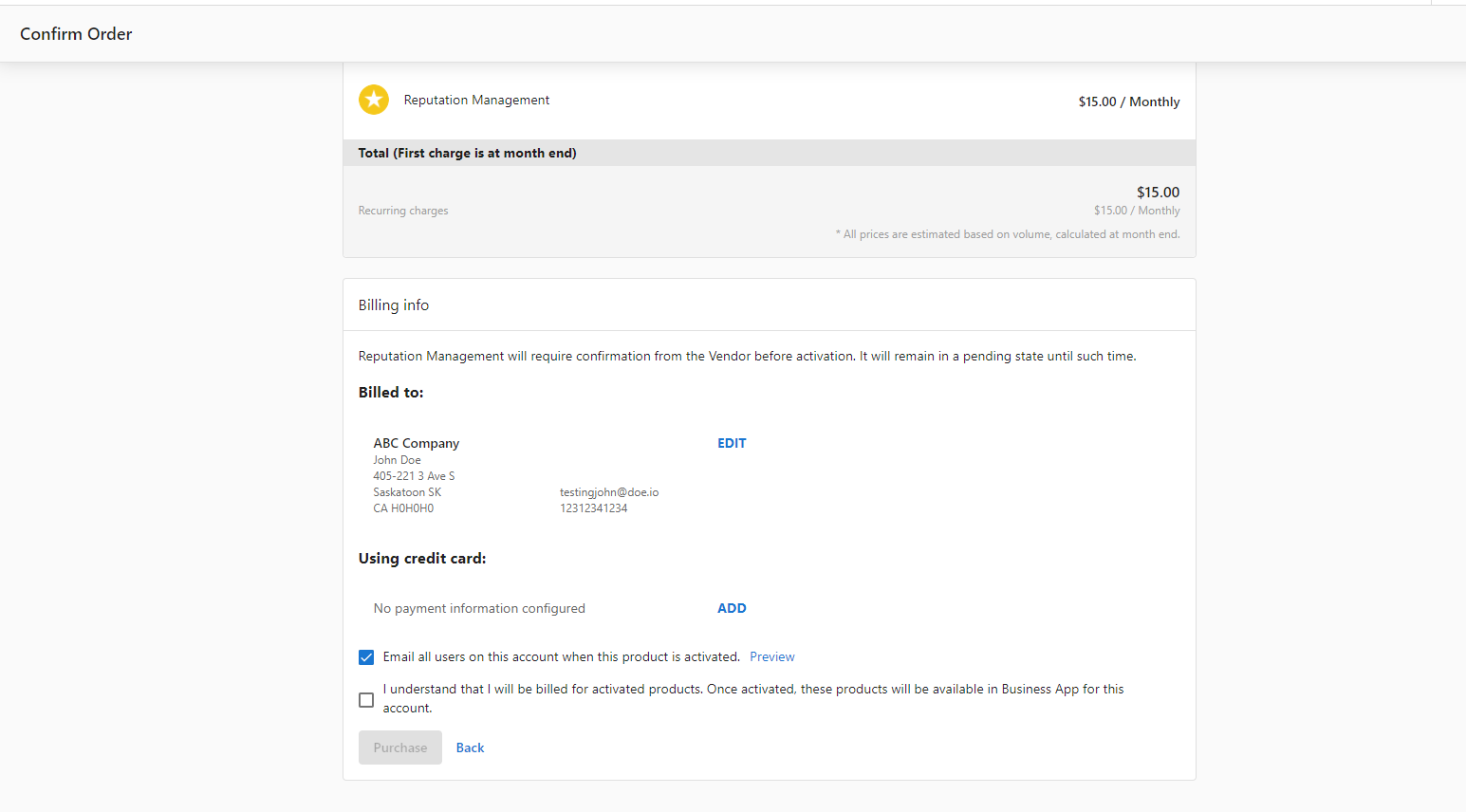
If you update your card when confirming an order in Partner Center it will also update the billing information in My billing.
Changing invoice email address
Updating the email address that we send invoices to is as easy as updating the Billing Contact information:
- Go to
Partner Center→Administration→My billing→Edit Billing contact
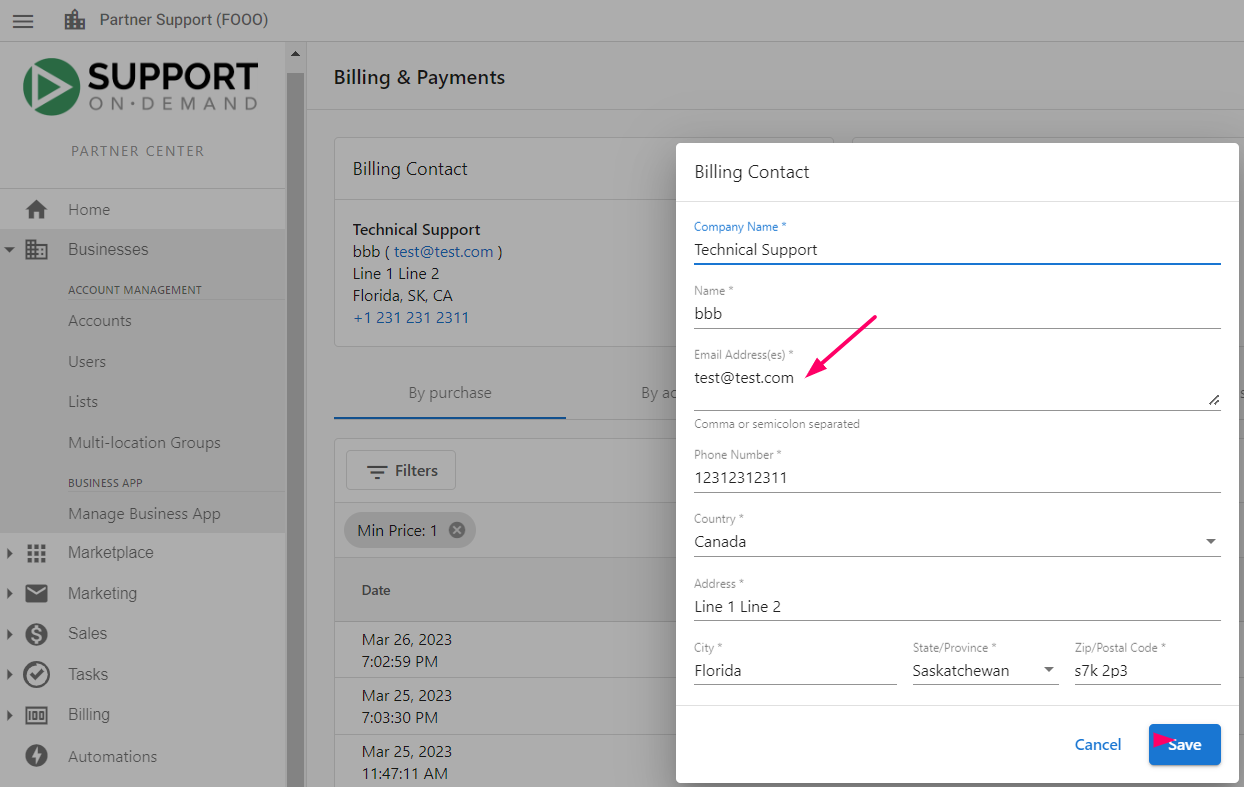
You can add more than one email address to receive invoices and billing notifications. In the Billing Contact form, enter multiple addresses separated by a comma or semicolon (e.g. billing@yourcompany.com, finance@yourcompany.com).
How do I manage payment issues?
Multiple credit cards
Can multiple credit cards be added to Partner Center?
No, there can only be one credit card added to Partner Center. You can add or edit your payment method by going to Administration → My billing → Add Payment Method.
Any attempt to add a second card will overwrite the previous one.
Retrying failed payments
Can I retry a payment?
Yes, you can retry a failed payment:
- Go to
Partner Center→Administration→My billing - Click on the three dots next to the purchase you wish to pay for
- Select
retry
The system takes some time to update the status to Succeeded if the payment succeeds.
What happens when a payment fails?
Retry timeline
When a credit card charge fails, the platform automatically retries the payment up to 5 times over approximately 14 days. You will receive an email notification for each failed attempt.
Account suspension
If all retry attempts fail:
- Instant-billed Partners: After Day 14, access to Partner Center and Business App is blocked for contracted Partners. Partners on Starter/Startup plans are moved to the Free tier.
- Invoiced Partners: Your account is suspended 30 days after the invoice is generated if no payment is received.
What happens to active products
Products remain active for up to 30 days after a payment failure, but do not renew automatically if payment is not made. You will need to reactivate products manually after resolving the failed payment.
How to resolve a failed payment
- Go to
Partner Center→Administration→My billing - Click
View Failed Payments - Update your credit card if needed (see Updating Billing Information)
- Retry the failed purchase using the three dots next to the purchase and selecting
Retry
Successful payment automatically restores access to your account.
Which payment methods are accepted?
Accepted payment methods
- A credit card is required on file for all partners
- Partner Center accepts Visa, Mastercard, and Amex
- For further concerns, contact billingsupport@vendasta.com
International payments
If your credit card company blocks international transactions:
- Contact your credit card company
- Ask them to allow all transactions from Vendasta Technologies Inc.
- This will resolve most card declined issues
FAQs
Can I use multiple credit cards for different purchases?
No, Partner Center only supports one credit card at a time. Any new card you add will replace the previous one. However, you can update your payment method before making specific purchases if needed.
What happens if my payment fails?
If a payment fails, you'll receive a notification. You can manually retry the payment by going to Partner Center → Administration → My billing, clicking the three dots next to the failed purchase, and selecting retry.
How do I know if my billing information is complete?
Complete billing information includes both a billing contact (company information) and a payment method (credit card). Both sections must be filled out to make purchases and receive proper invoices.
Can I change my billing information after setting it up?
Yes, you can update your billing information at any time by going to Partner Center → Administration → My billing and clicking Edit on the section you want to modify.
Why was my card declined?
The most common reason for card declines is that your credit card company is blocking international transactions. Contact your credit card company and ask them to allow transactions from Vendasta Technologies Inc.
How do I change where my invoices are sent?
To change your invoice email address, update your Billing Contact information by going to Partner Center → Administration → My billing → Edit Billing contact.
Can I send invoices to multiple email addresses?
Yes. In your Billing Contact information, you can enter multiple email addresses separated by a comma or semicolon. All listed addresses will receive invoices and billing notifications.
What happens if my payment fails and I don't resolve it?
The platform retries your payment up to 5 times over approximately 14 days. If all attempts fail, your account access is suspended. Contracted Partners lose access to Partner Center and Business App, while Starter/Startup Partners are moved to the Free tier. Invoiced Partners are suspended 30 days after the invoice date if unpaid.
Active products remain available for up to 30 days but will not renew. To restore access, update your payment method and retry the failed payments from Partner Center → Administration → My billing → View Failed Payments.
How do I update the credit card on file?
Go to Administration → My billing → Add Payment Method and enter the new card. Partner Center holds only one credit card, so the new card replaces the previous one.
Do I need to reactivate products after I fix a failed payment?
Yes. Products remain active for up to 30 days after a payment failure but do not renew automatically if payment is not made. After you resolve the failed payment, reactivate those products manually.