How do I add dynamic content to email campaigns?
Dynamic content in Campaigns replaces placeholders in your emails with real details about each recipient, such as contact, company, and product information, when the email is sent. You can add it to the subject line, inbox preview text, and body text blocks in Marketing → Campaigns.
How does dynamic content work?
Once your email is sent, the platform automatically replaces dynamic content with real information about your contacts, products, and more depending on the content you chose. That means you only have to build one campaign, and the content in your emails will automatically be personalized!
How do I add dynamic components to an email?
-
Navigate to
Partner Center→Marketing→Campaigns→Create Campaign, name your new campaign, then clickCreate new email. -
From here, you can add Dynamic Components to your
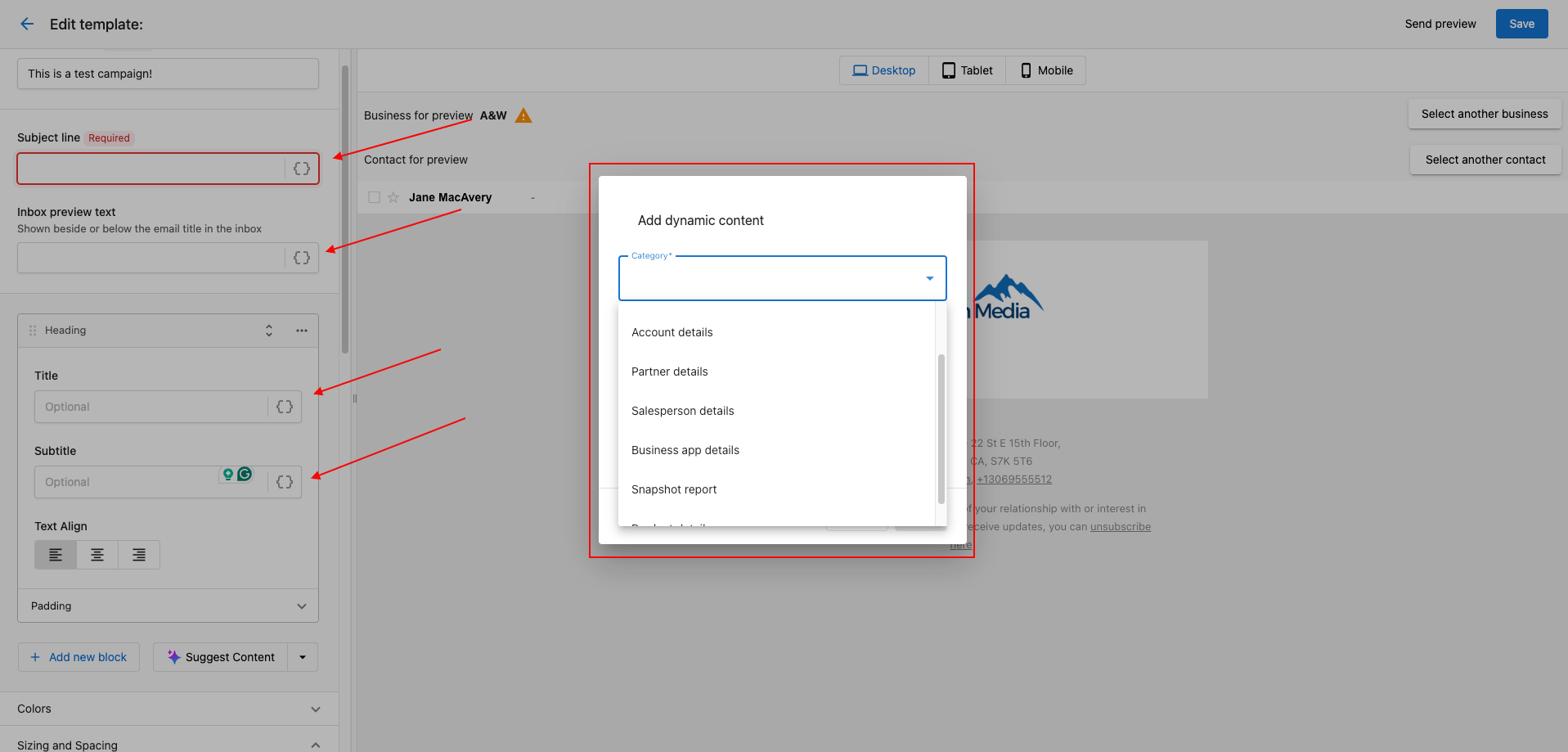
Subject LineandInbox Preview Text. Once you have added a new block of text for the body of your email, you can also insert Dynamic Components:
What dynamic components can I add?
Contact details- Personalize with CRM contact fields including name, email, phone number, job title, interests, skills, and engagement dataPrimary company details- Include CRM company fields like company name, website, address, employee count, and social media URLsAccount details- Add account-related information and settingsPartner details- Include partner branding and contact informationSalesperson details- Add salesperson contact information and personal detailsBusiness App details- Include Business App-specific informationSnapshot Report- Add report data and insightsProduct details- Include product information and features
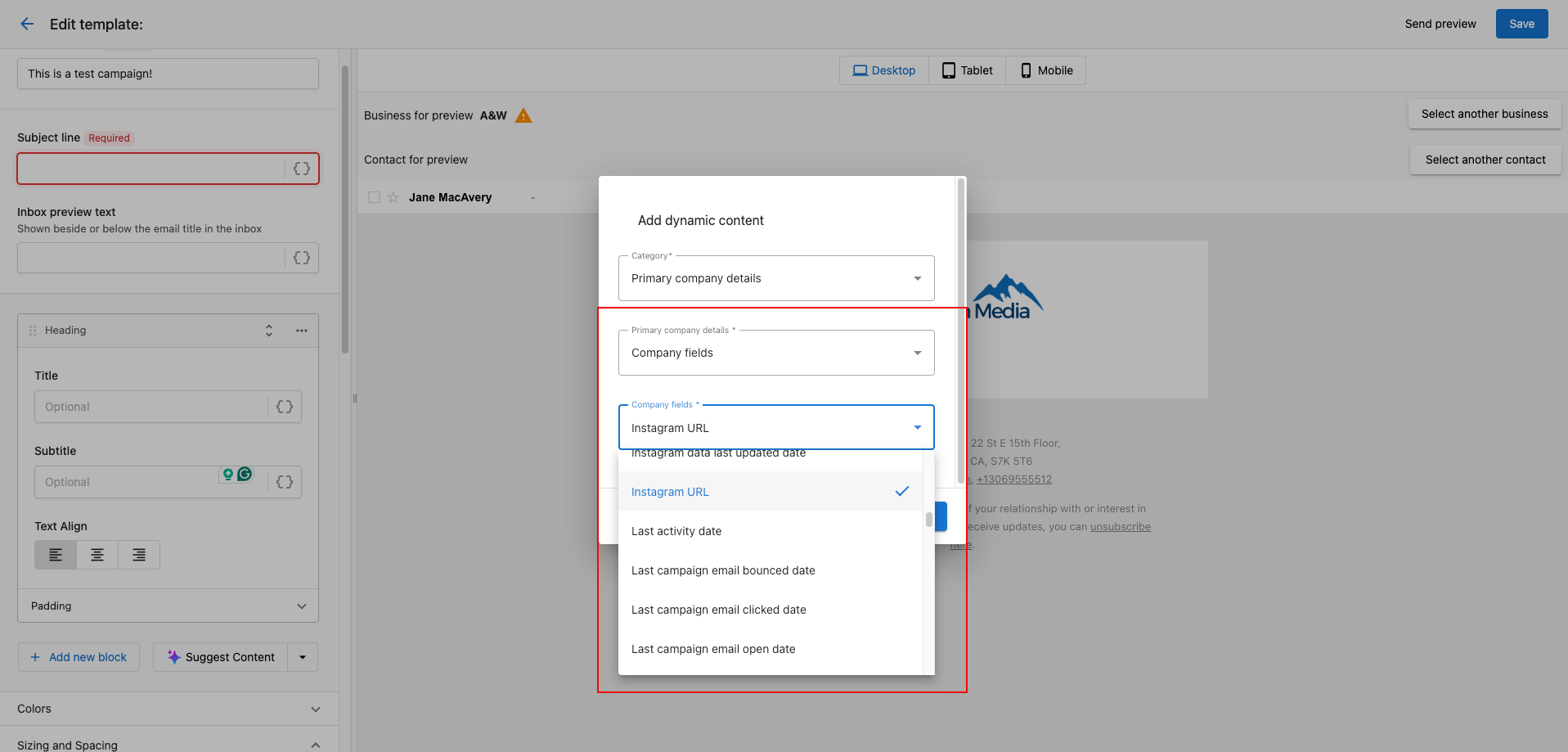
Once a category is selected, further options to add specific details will become available:
Frequently asked questions
Where in an email can I add dynamic content?
You can add dynamic components to the Subject Line, the Inbox Preview Text, and any text block in the body of your email.
Can I insert a contact's name in a campaign email?
Yes. Use Contact details to add CRM contact fields, including name, email, phone number, and job title.
Can I add company details such as the address or website?
Yes. Use Primary company details to add CRM company fields like company name, website, address, employee count, and social media URLs.