How do I create and edit opportunities in the CRM?
In the Vendasta CRM, you create opportunities from CRM → Opportunities → Board in Partner Center by choosing an account, adding products or packages, and entering sales details. You edit an opportunity from its side panel. Opportunities track each potential sale in your sales pipeline.
How do I create an opportunity from the pipeline board?
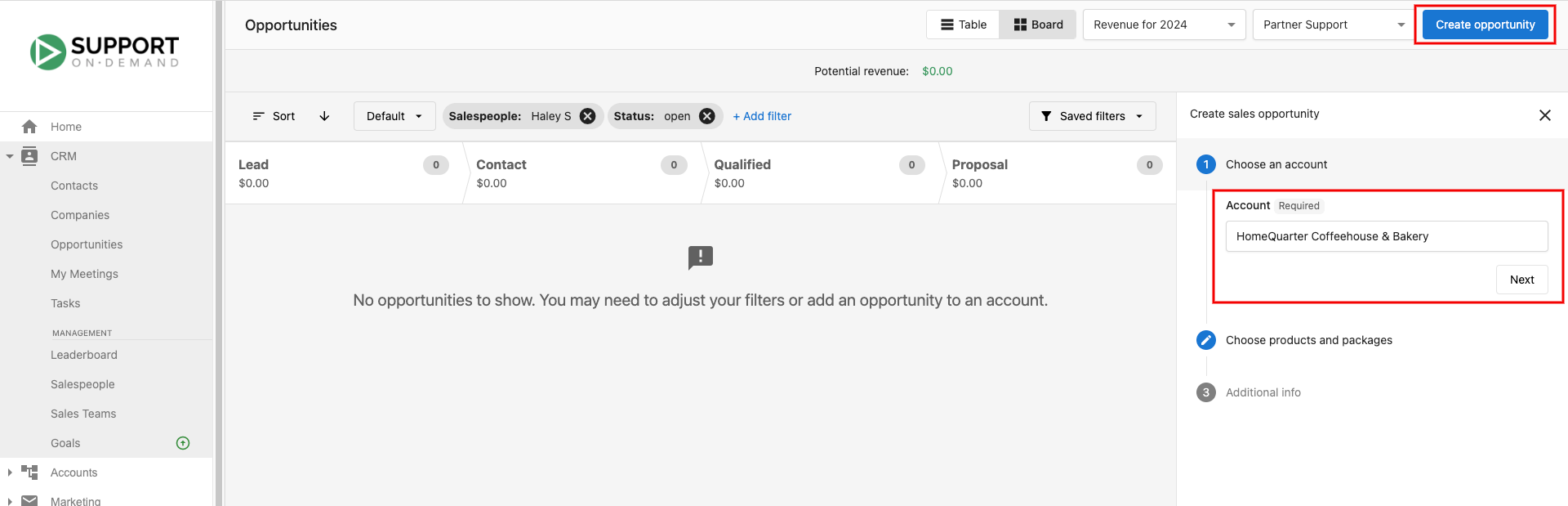
Step 1: Go to Partner Center → CRM → Opportunities → Board
Step 2: Click Create opportunity
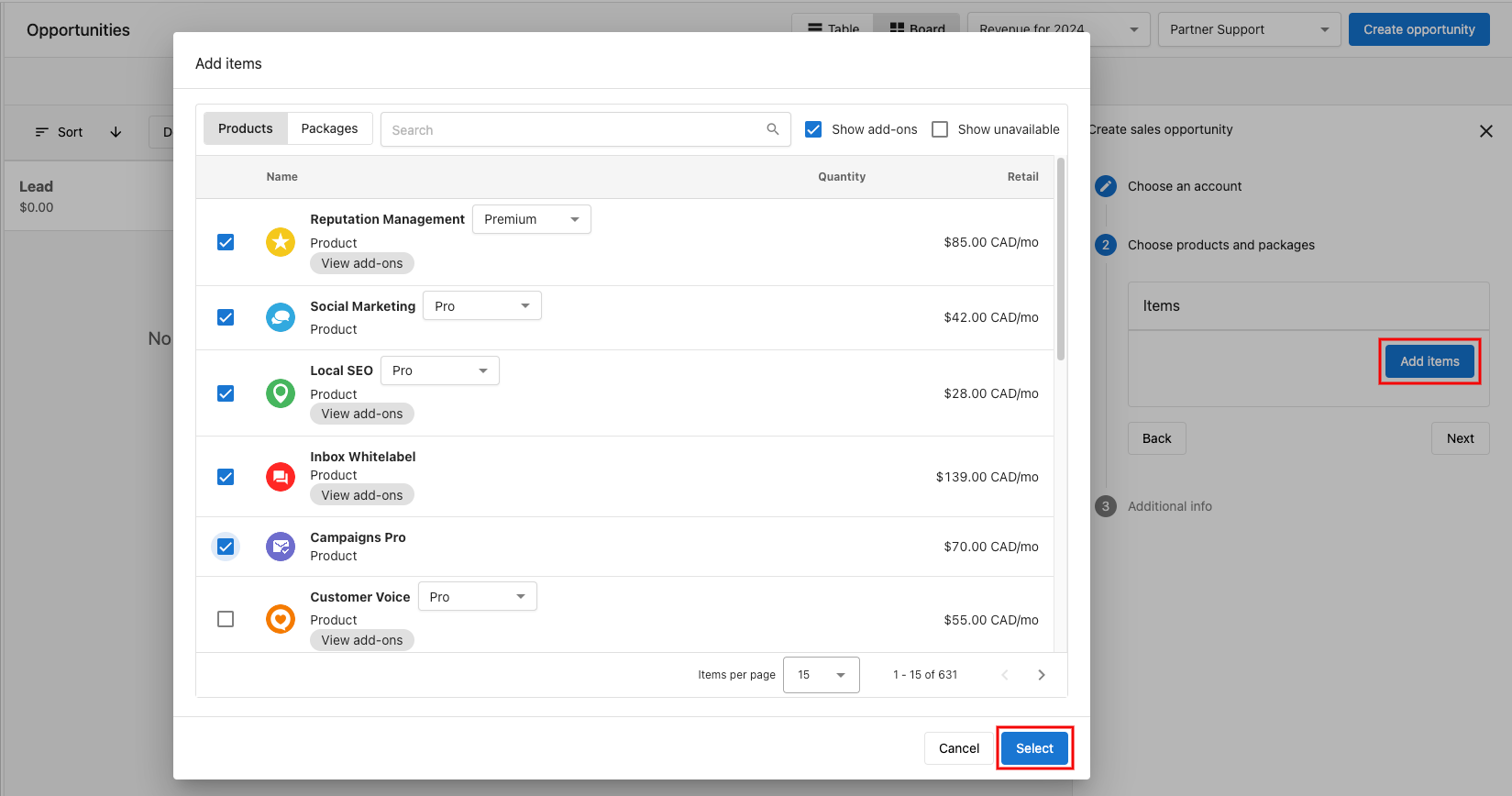
Step 3: Select the Account field, choose an account for the opportunity, then click Next → Add Items.
Step 4: Check the boxes next to the products or packages you want to add and click Select to confirm.
Step 5: Click Next to continue.
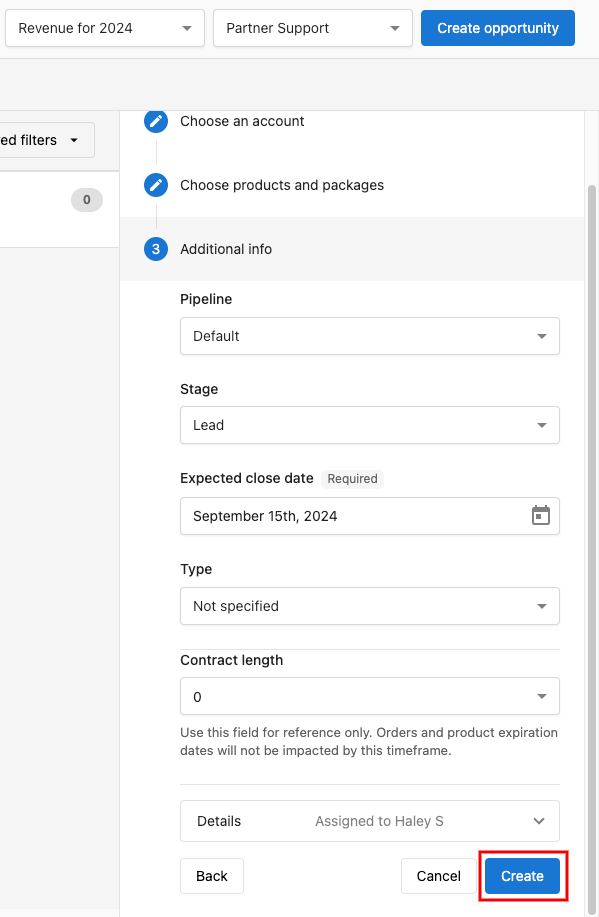
Step 6: Add any additional sales information such as:
PipelineStageExpected close dateTypeContract length
Step 7: Click Create to add the opportunity to your pipeline.
How do I open an opportunity?
- Go to
Partner Center→CRM→Opportunities→Board(alternatively, go toCRM→Companies→Company Name→Opportunities) - Click the opportunity you want to access.
- The opportunity opens in a side panel for you to access or edit.
How do I edit an opportunity?
From an open opportunity, click into each section of the Opportunity info to edit.
Opportunity Fields:
Opportunity nameExpected closeContract LengthAssigneeSubscribersPipelineStageType
In addition, you can also click Create order to automatically add the products in the opportunity to a new order for the account, or Create invoice to create an invoice for those products that stays linked to the opportunity and shows its live payment status.
Please note that it is not possible to delete opportunities in Partner Center once they are created. The opportunity can only be marked as won or lost.
Frequently asked questions
Can I delete an opportunity?
No. You cannot delete opportunities in Partner Center once they are created. Mark a test opportunity as lost and leave a note saying it was a test.
How do I turn an opportunity into an order?
Open the opportunity and click Create order. The products in the opportunity are added to a new order for the account.
Can I create an invoice from an opportunity?
Yes. Open the opportunity and click Create invoice. The invoice stays linked to the opportunity and shows its live payment status.
Where can I see the opportunities for a specific company?
Go to CRM → Companies, select the company, and open its Opportunities tab. You can also see all opportunities at CRM → Opportunities → Board.