How do I help a client grant Facebook page access to Vendasta Services?
When a client buys social media management through Vendasta Services, they grant page access by switching to their Facebook business page, opening Settings, then New Page Experiences, and accepting the Vendasta Services request under Page Access. The Vendasta Services team needs this access to publish content on your client's behalf. Share these steps with your client. Your client retains full ownership and control of the page.
How does your client accept the Facebook access request?
For our team to post on your behalf, we need access to your Facebook page.
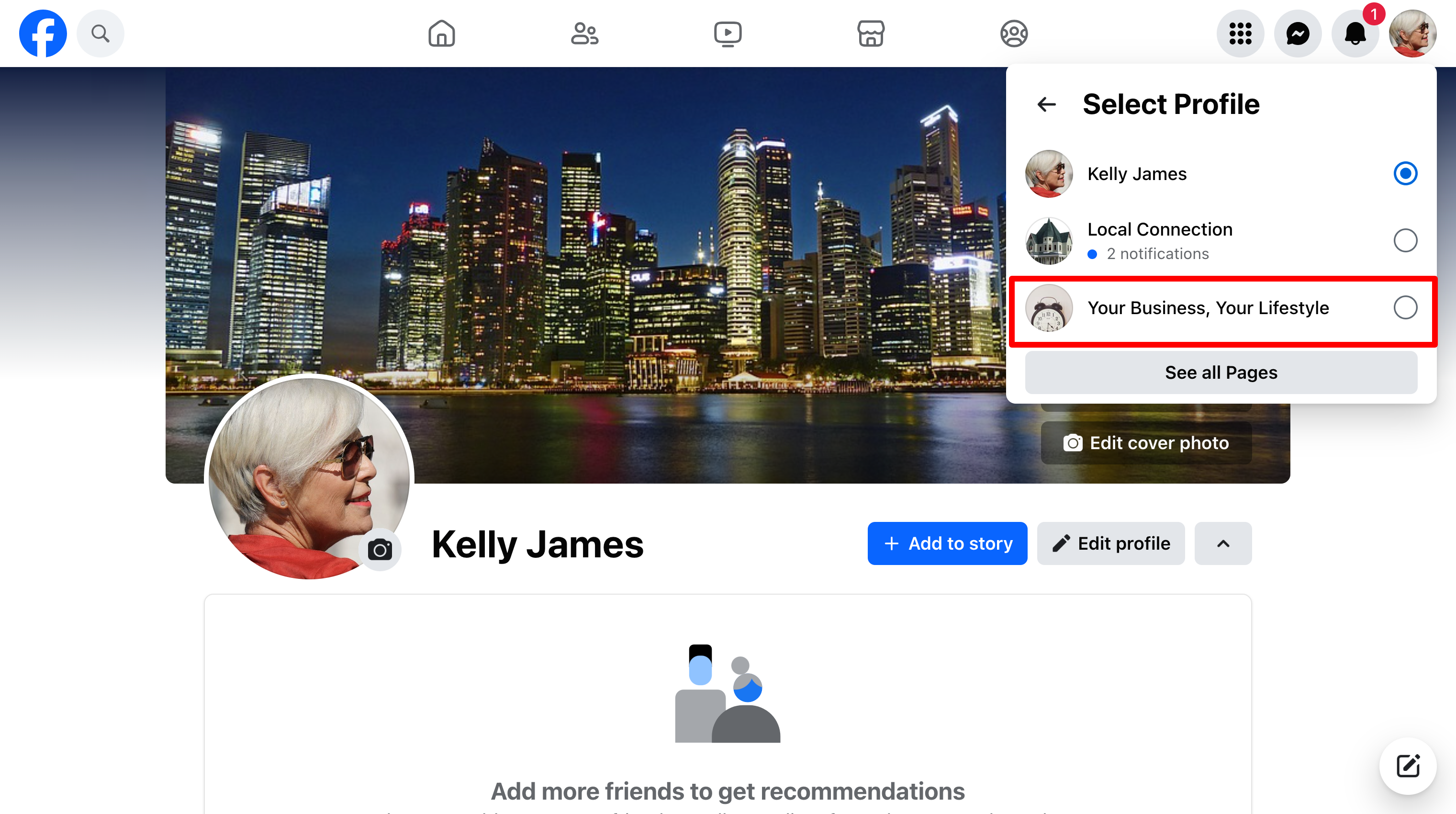
Log in to Facebook and switch your profile to your business page.
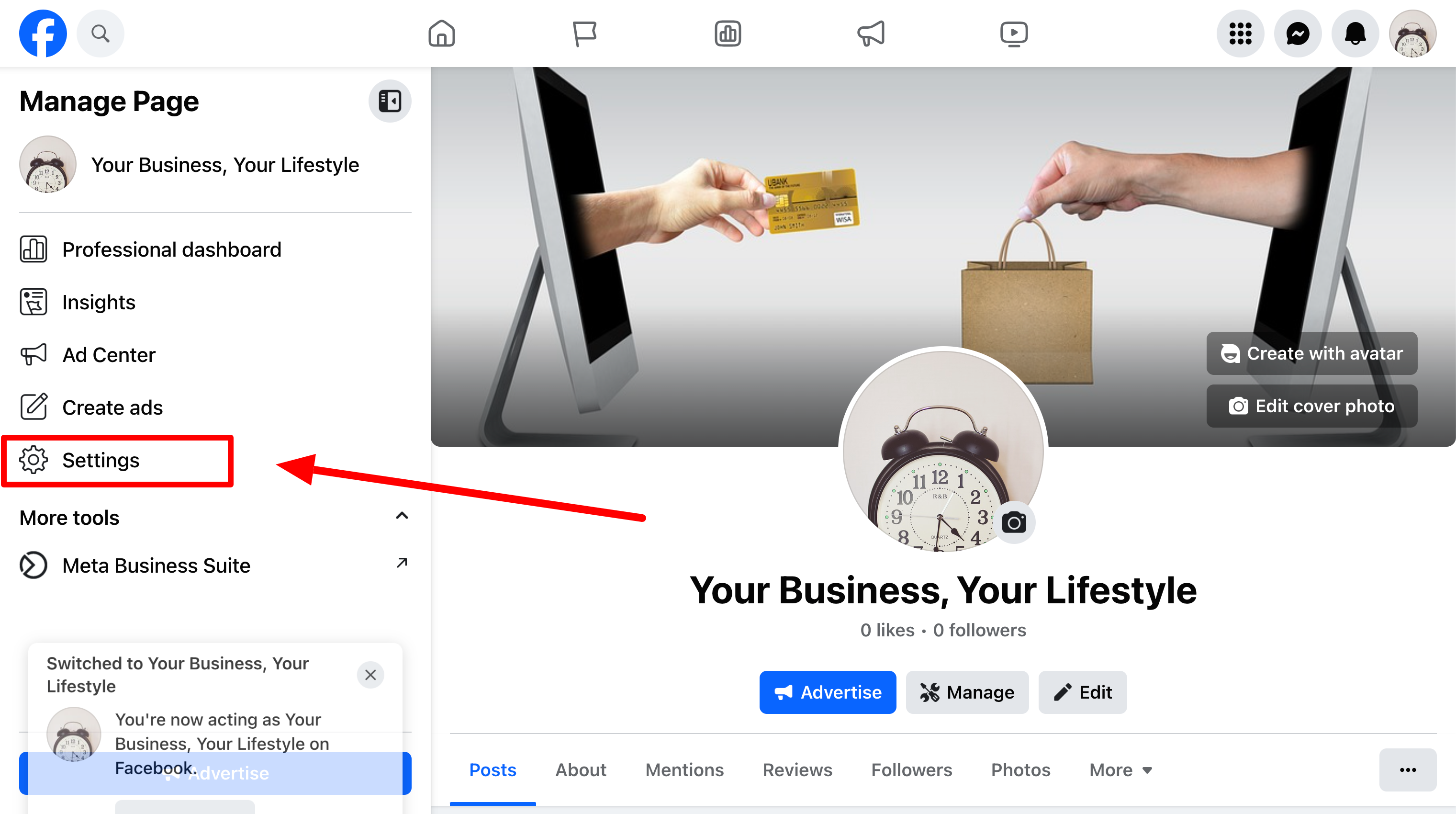
Once switched, you should appear on Manage Page.
Click Settings.
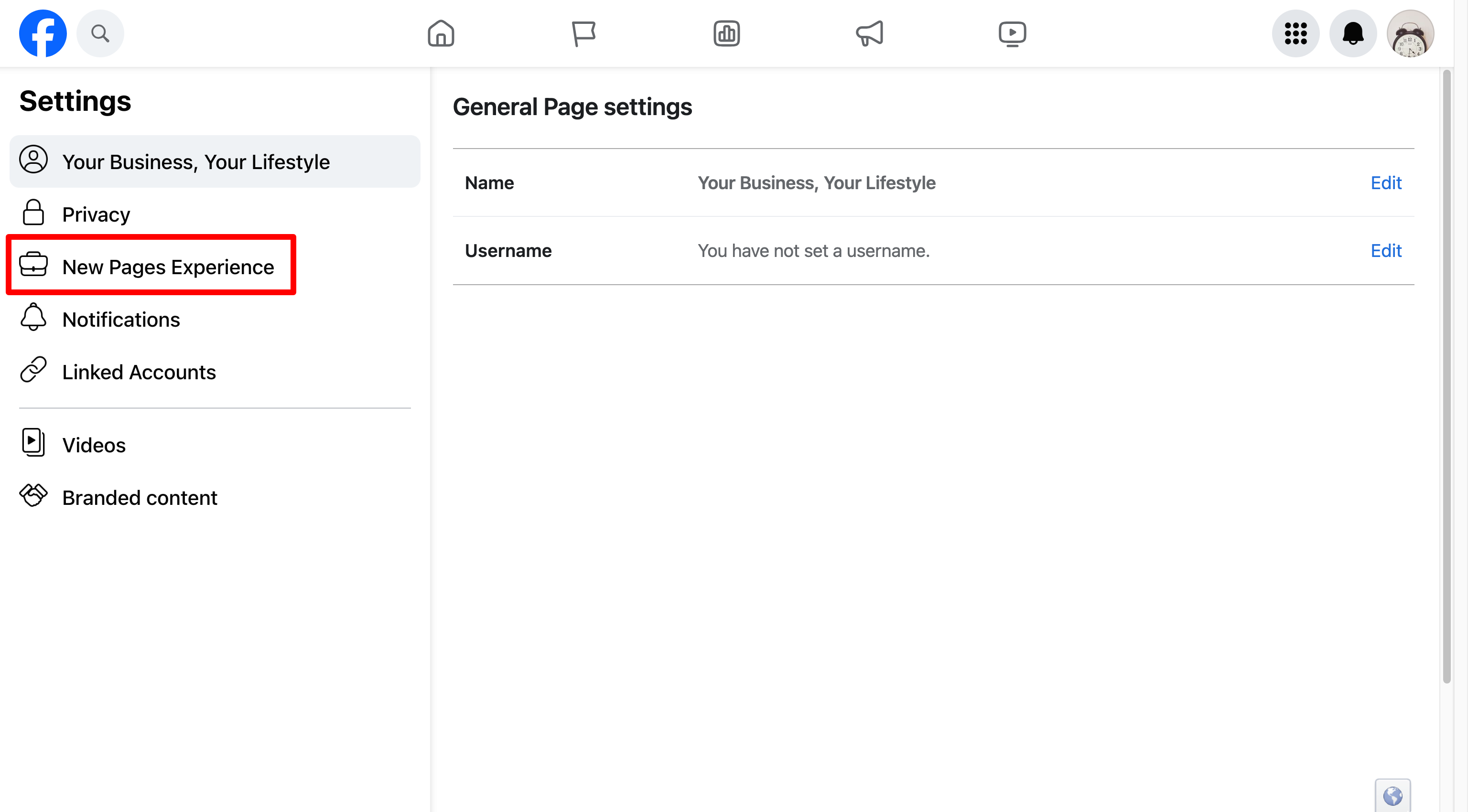
Click New Page Experiences.
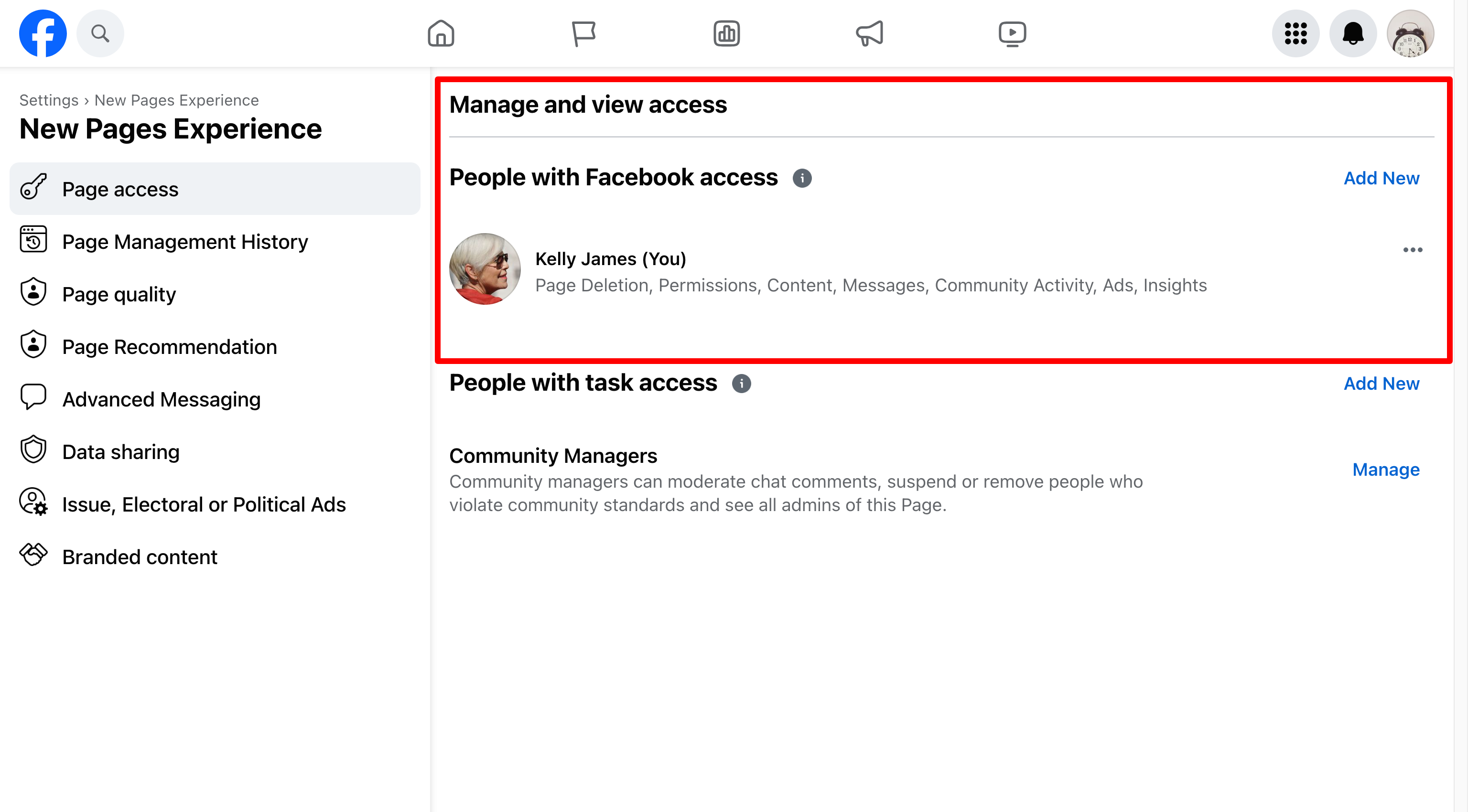
You'll see a section for Page Access and inside of it you may see an access request from Vendasta Services or Digital Agency.
Accept the request.
Frequently asked questions
Why does the Vendasta Services team need access to my client's Facebook page?
When a client purchases social media management through Vendasta Services, the team needs page access to publish content on the client's behalf.
Does my client lose ownership of their Facebook page?
No. Your client retains full ownership and control of the page.
Where does my client find the access request?
After switching to the business page in Facebook, your client clicks Settings, then New Page Experiences. The request appears in the Page Access section, from Vendasta Services or Digital Agency.